Choosing your E-Commerce Site Set Up

There are several things that you need to consider when choosing how to set up your E-Commerce Site.  You need to choose how you want your products displayed and how you want people to search for your products.  There are two ways to display your product and there are two ways to search for your product.

Setting up Your Products

No matter which way you decide to find your product you still need to know how you want your products set up.  For example, you are a video store.  You sell movies, food, and drink.  So you would set up movie, food, and drink as a Primary Category since these are the big general items you sell.

Under movies you might want to set up Sub Categories such as action, comedy, drama, and horror.  Under Food you might list popcorn, chocolate candy, and fruity candy.  Under drink you might list Coke, Diet Coke, and Pepsi.

This helps to narrow the field if someone is looking for a particular product, and makes other products easier to group.  Once you have this set up then you need to decide how you want to show what category of products you have and if you want individuals to search on your products.

Below is a list of different ways that other sites have listed their general products and then displayed the specific product.  A general product would be an action movie and a specific product would be the actual movies that fall under this category.  For example, you might list drama movie, and when someone clicked on drama movie, a movie such as Forrest Gump would show up.

Displaying General Products

1a.  Listing
  • One of the ways to show your general product is to list it.  One way to do this is to have all of the categories and sub categories listed on the side (either right or left) on your site.
    Ex: Movie
         Action
         Comedy
         Drama
         Horror
  • The Second way is to put it into a drop down box.
    Ex:
     
1b.   Search
  • One of the great things you can do for your site is to add a search feature.  This allows people an easy way to get to the product they are searching for even if they don't know exactly what it is.
  • To search on a product you will need keywords, which are words that people might key in when searching on that product.
    Ex: Searching for a movie, Forrest Gump.  So as keywords you might enter: drama, comedy, tom hanks, Lt. Dan, box of chocolates, etc.
  • We recommend this feature for most sites because it makes it easier on the individual who is looking for a product. 
  • Ex:


  Displaying Your Product

After listing your product or searching your product you need to decide how you want the results displayed.  There are two different ways to do this.


2a.  Listing

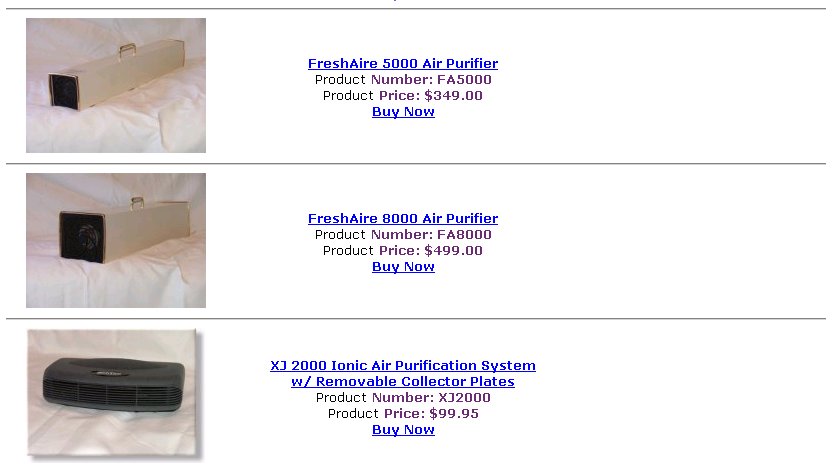
By using listing you see each product one by one below the other.  In a listing display you get the following shown:
  • picture of the product on the right side
  • name of the product on the top left side
  • price of the product next to the name
  • your product code below the name.
  • a description of the product underneath the name and price, next to the picture

Advantages:

You see more description of the product without having to click on the product.
Ex: Continuing with Forrest Gump, in the listing display it would have a picture of the movie, the name of the movie, the price of the movie, and then below a description of what the movie is.


2b.  Grid

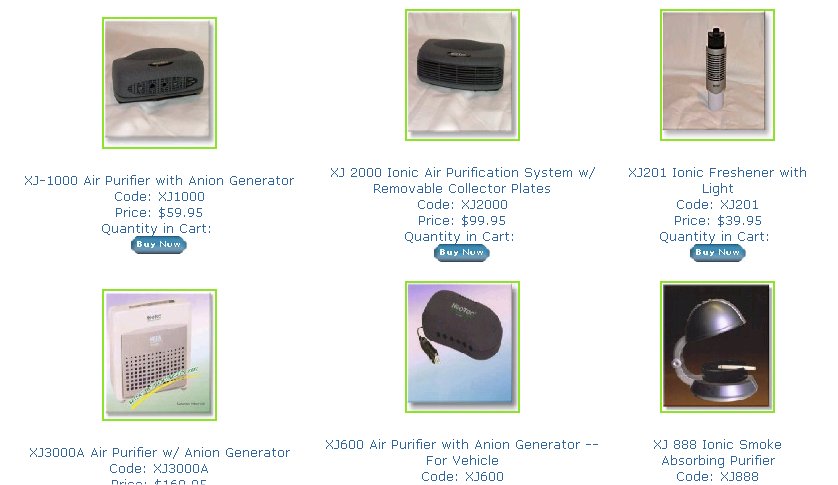
By using a grid to display your product you can see rows of products.  Usually three across and three down.  In a grid display you get the following shown:

  • picture of the product
  • below picture the name of the product
  • below the name is your product code
  • below the product code is the price
  • below the price is the <buy now> button

Advantages:

You can see more products at a quick glance.
Ex: Someone click on Drama.  The grid display will show nine movies and perhaps the customer will see a movie they hadn't thought about.


Combinations:
  1. 1b/2a and 1a/2b -- Usually if you have a search feature (which we highly recommend) then the results are displayed in a list.  If you also have a drop down of your products than the results would be displayed in a grid.
    * this is the most used.
    Example Site: www.cookiesinbloom.com

  2. 1b/2a and 1a/2a -- Instead of the results being displayed in a grid all results will be displayed in list format.
    * this is the second most used.
    Example Site: www.wallbedfactory.com

  3. 1b/2b and 1a/2b -- Instead of the results being displayed in a grid or a list all results will be displayed in grid format.

  4. 1a/2b -- Just a list of your product with the results being displayed in a grid.

  5. 1b/2b -- Just a search ability for your products with the results being displayed in a grid.

  6. 1a/2a -- Just a list of your products with the results being displayed in a list.

  7. 1b/2a -- Just the search function for your products with the results being displayed in a list.